

It’s really easy to get your PC swamped by many applications, browser tabs, and windows, particularly if you have lots of different things you’re working on during the day.
Additionally, frequently changing between workspaces and opening all apps or tabs on daily basis to do tasks breaks your concentration, which is something developers, designers, and people working from home will all understand.
Rather than endlessly opening programs again and having to move things on your screen, you might need a tool that lets you save how everything is arranged and then get it back exactly as you left it in a flash.
SmartPanels App gives a straightforward, but effective, way to organize your computer world and get some order back, and you don’t need to be a computer expert or do complicated settings.
As the way we work changes and becomes more flexible, things like this aren’t just a nice bonus anymore; they’re important for being efficient and for getting rid of the mess of digital files, programs, and so on. So, let’s look at how the app does what it does and what is special about it.
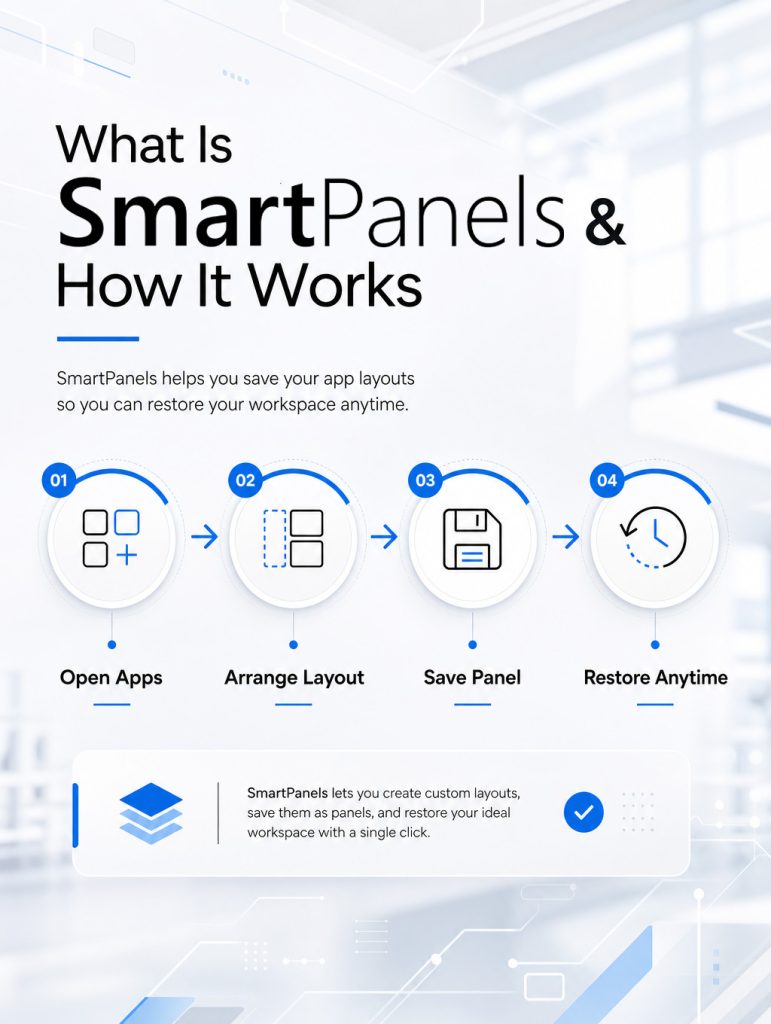
SmartPanels Review: How Does It Work
SmartPanels is fundamentally a way to organize your computer screen, and it will save and bring back how your applications are arranged with just one click. You can create “profiles” that remember your preferred arrangement, so you don’t have to open programs, change window sizes, and position them on the screen each time.
Think of each profile as a layout of how your screen should look. So, you could have a dedicated workspace for work, one for meetings, and another for things like art or writing. When you move between these profiles, everything on your screen will change immediately to match the selected workspace.
This SmartPanels application is particularly helpful if you use a lot of different programs at the same time. You won’t lose time getting your workspace set up, and instead can quickly get to the task you are doing.
Key Features That Make Smart Panels Stand Out
1. One-Click Workspace Restoration
SmartPanels software really shine because of how quickly you can get all your work exactly as you left it. You won’t have to set up repeatedly and can focus on what you’re doing.
2. Custom Profile Creation
You also get to make as many profiles as you need for whatever you’re working on. So, for coding, writing, or looking at data, each one can be arranged to do exactly what you want.
3. Seamless Switching Between Tasks
Moving between those different workspaces is fast and easy. This is what makes handling many things at once much better, particularly for people with a lot of different jobs.
4. Lightweight and Easy to Use
Unlike complicated desktop management programs, SmartPanels are meant to be straightforward and easy to use. You don’t have to be a computer expert to start using them.
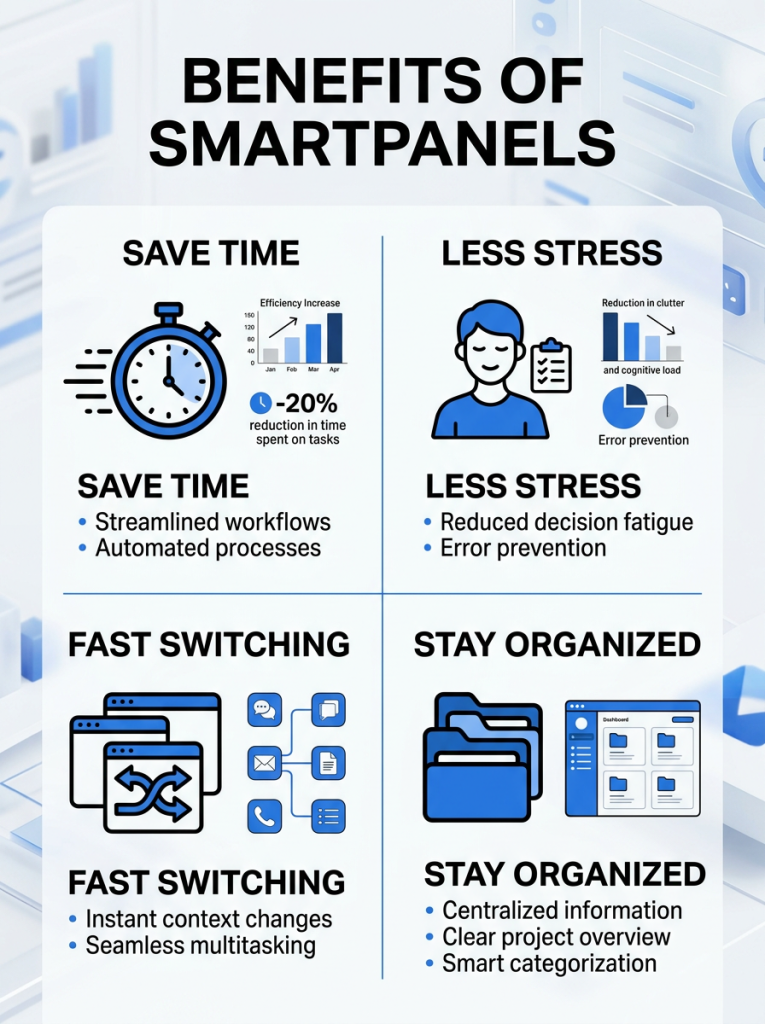
Benefits of Using Smart Panels Daily
If you use Smart Panels regularly, you’ll likely find a big change in how you work. Some of the most obvious upsides are as follows.
- Improved Productivity: You’ll get more done because you’re not wasting time arranging things on your screen over and over. This means you can put more energy into finishing your work and less into getting ready for it.
- Reduced Cognitive Load: It’s surprisingly tiring to jump from one application to another and move all your windows around. This tool has everything you need where it should be, so you won’t feel worn out by all the little choices.
- Better Organization: A dedicated profile for each job will give you a tidy, orderly area on your computer. This will help you to be more organized and avoid getting sidetracked.
- Faster Workflow Transitions: Switching from one thing to another is much quicker. You won’t break your flow and can work at a good pace all day long.
SmartPanels Dual Monitor Setup: Power Your Productivity
SmartPanels are even better when you have more than one screen. With a dual monitor setup, you can save how things are arranged on both, so all your windows will be in precisely the place you like.
As an illustration, you might have your email or messaging on one screen and use the other screen for the thing you’re actually doing. And when you change between screen setups, both layouts will change at the same time for a smooth transition.
People with complicated jobs, like programmers, video people, and those who analyze money, will find this especially helpful.
Looking to set up a multi-monitor workstation? Learn More!
Smart Panels vs Traditional Workspace Management
With the usual way of doing things in an office, you have to do a lot of work by hand. You start programs, get them into the order you want, and you do this repeatedly as you go from one job to another.
This takes time, and it’s just not a great way to work.
SmartPanels, however, do all of that for you. After you’ve made a profile, how you have it set up is saved for good. So, you can get it back exactly as it was whenever you like without doing anything else.
Real-World Use Cases
SmartPanels smoothly works with all the things you do every day and simplifies keeping track of what you’re doing without having to set it all up over and over. It makes your workspace change to whatever you are working on, be that creative projects, office work, or meetings, in a more straightforward way.
You won’t have to arrange windows by hand each time; you can use set arrangements to have everything where you expect it. This means you’ll use less time on organizing, have fewer things to break your concentration, and be able to get more done all day.
- Project Management: Imagine managing multiple projects with different requirements. Instead of mixing everything into one workspace, you can create separate panels for each project.
- Content Creation: Writers and marketers can create panels for research, drafting, and editing. This keeps each stage of the process organized and efficient.
- Meetings and Collaboration: You can dedicate a panel specifically for meetings, including video conferencing tools, notes, and documents. Switching to this panel instantly prepares you for collaboration.
Tips to Get the Most Out of Smart Panels
Consider the following practical tips, you can maximize efficiency, reduce distractions, and maintain a well-organized, highly productive workspace.
- Create profiles for specific tasks rather than general use. This helps you stay focused and ensures each workspace is tailored to a clear purpose, making transitions smoother and more effective.
- Keep your layouts simple and clutter-free. Avoid overcrowding your screen with unnecessary apps so you can quickly find what you need and maintain better concentration throughout your work sessions.
- Update your work profile as your workflow evolves. As your tasks or priorities change, refining your saved layouts will help keep your setup relevant and efficient over time.
- Use proper naming conventions to quickly identify each profile. Clear and consistent names make it easier to switch between setups without confusion, especially when managing multiple workspaces over dual screens.
Security and Reliability Considerations
When you’re getting things done with any program, keeping your information safe and the program working steadily are key.
SmartPanels is built to work well and not mess with how quickly your computer runs. Since it’s about arranging what you see on the screen, not holding onto private details, it’s not likely to cause problems. Plus, it’s not demanding on your computer, so it won’t make things slower.
For these reasons, you can confidently use it at home, or for work.
The Future of Workspace Management
Because the way we work is constantly changing, SmartPanels (and things like them) are getting to be more and more useful. Many people are working from home and using phones, laptops, tablets, and so on, so we need to manage office space well.
Down the line SmartPanels will probably work even more closely with other programs, have more things done for you by the system, and let you change things to fit your preferences in even more ways.
But even now, as it is, this took is a good starting point for getting things done more quickly.
Conclusion: Why Smart Panels Is Worth Trying
It’s often hard to keep things tidy when you’re working quickly with lots of digital things and jumping between different tasks. That’s why professionals who want to get things done easily are starting to like things like SmartPanels. You won’t have to arrange everything again; the system will remember it all and restore your preferences immediately.
Plus, you can build your own panels, which means your work setup will change with what you require, not the other way around. It’s easy to use and works the same whether you have one screen or many. And all these little changes can really boost how much you get done and your ability to concentrate.
If you want a more intelligent way to deal with your workspace that doesn’t make things more complicated, SmartPanels is a good option to look at.